
 3D Configurator
![[Translate to Englisch:]](/fileadmin/app/App-02.svg "[Translate to Englisch:]") Uhlmann Smart App
Uhlmann Smart App
 Overview Sun Umbrellas
![[Translate to englisch:]](/fileadmin/templates/img/Menu_Icons/Uhlmann_Icons_Typ_T.svg "[Translate to englisch:]") Type T The Classic
Type T The Classic
![[Translate to englisch:]](/fileadmin/templates/img/Menu_Icons/Uhlmann_Icons_Typ_TS_TXS_TX.svg "[Translate to englisch:]") Type TS TXS TX Strong Wind
Type TS TXS TX Strong Wind
![[Translate to englisch:]](/fileadmin/templates/img/Menu_Icons/Uhlmann_Icons_Typ_TXV.svg "[Translate to englisch:]") Type TXV The Impressive
Type TXV The Impressive
![[Translate to englisch:]](/fileadmin/templates/img/Menu_Icons/Uhlmann_Icons_Typ_TLX.svg "[Translate to englisch:]") Type TLX Giant Umbrellas
Type TLX Giant Umbrellas
![[Translate to englisch:]](/fileadmin/templates/img/Menu_Icons/Uhlmann_Icons_Typ_FX.svg "[Translate to englisch:]") Type FX Cantilever Umbrellas
Type FX Cantilever Umbrellas
![[Translate to englisch:]](/fileadmin/templates/img/Menu_Icons/Uhlmann_Icons_Typ_MMA.svg "[Translate to englisch:]") Type MMA Special Sizes
Type MMA Special Sizes
![[Translate to englisch:]](/fileadmin/templates/img/Menu_Icons/Uhlmann_Icons_Stoffe_und_Farben.svg "[Translate to englisch:]") Fabrics & Colors
Fabrics & Colors
![[Translate to englisch:]](/fileadmin/templates/img/Menu_Icons/Uhlmann_Icons_Zubehoer.svg "[Translate to englisch:]") Fixing
Fixing
![[Translate to Englisch:]](/fileadmin/sonnenschirme/008_zubehoer/Zubehoer-01.svg "[Translate to Englisch:]") Accessories
Accessories
![[Translate to Englisch:]](/fileadmin/templates/img/Menu_Icons/Icon_Uhlmann_Gastronomie.svg "[Translate to Englisch:]") Gastronomy
Gastronomy
![[Translate to Englisch:]](/fileadmin/sonnenschirme/icons/Uhlmann_Icon_%C3%96ffentliche-Einrichtungen-01.svg "[Translate to Englisch:]") Public Facilities
Public Facilities
![[Translate to Englisch:]](/fileadmin/templates/img/Menu_Icons/Uhlmann_Icons_Gewerbe.svg "[Translate to Englisch:]") Commerce & Industry
Commerce & Industry
![[Translate to Englisch:]](/fileadmin/templates/img/Menu_Icons/Uhlmann_Icons_Garten_und_Terrasse.svg "[Translate to Englisch:]") Garden & Terrace
Garden & Terrace
 Architecture
![[Translate to englisch:]](/fileadmin/templates/img/Menu_Icons/Uhlmann_Icon_Download.svg "[Translate to englisch:]") Download
Download
![[Translate to englisch:]](/fileadmin/templates/img/Menu_Icons/Uhlmann_Icon_Druckservice-01_01.svg "[Translate to englisch:]") Printing
Printing
![[Translate to englisch:]](/fileadmin/templates/img/Menu_Icons/Icon_Uhlmann_Haendlerbereich.svg "[Translate to englisch:]") Merchants section
Merchants section
 FAQs
FAQs
![[Translate to englisch:]](/fileadmin/user_upload/Uhlmann_Icon_Tutorials-01.svg "[Translate to englisch:]") Tutorials
Tutorials
![[Translate to englisch:]](/fileadmin/templates/img/Menu_Icons/Uhlmann_Icon_Uhlmann-01.svg "[Translate to englisch:]") Uhlmann
Uhlmann
![[Translate to englisch:]](/fileadmin/templates/img/Menu_Icons/Uhlmann_Icon_Made-in-Germany.svg "[Translate to englisch:]") Made in Germany
Made in Germany
![[Translate to englisch:]](/fileadmin/templates/img/Menu_Icons/Uhlmann_Icon_wir-unterstuetzen-neu.svg "[Translate to englisch:]") Social Engagement
Social Engagement
![[Translate to englisch:]](/fileadmin/templates/img/Menu_Icons/Uhlmann_Icon_Jobs.svg "[Translate to englisch:]") Jobs
Jobs
![[Translate to Englisch:]](/fileadmin/sonnenschirme/030_unternehmen_nachhaltigkeit/Uhlmann_Icon_Nachhaltigkeit-.svg "[Translate to Englisch:]") Sustainability
Sustainability

Uhlmann Smart – Support
Welcome to the support area of the Uhlmann Smart App.
With Uhlmann Smart, you can conveniently control the optional motor and LED functions of your Uhlmann umbrella via app. Depending on your umbrella's equipment, different functions are available to you.
Getting Started
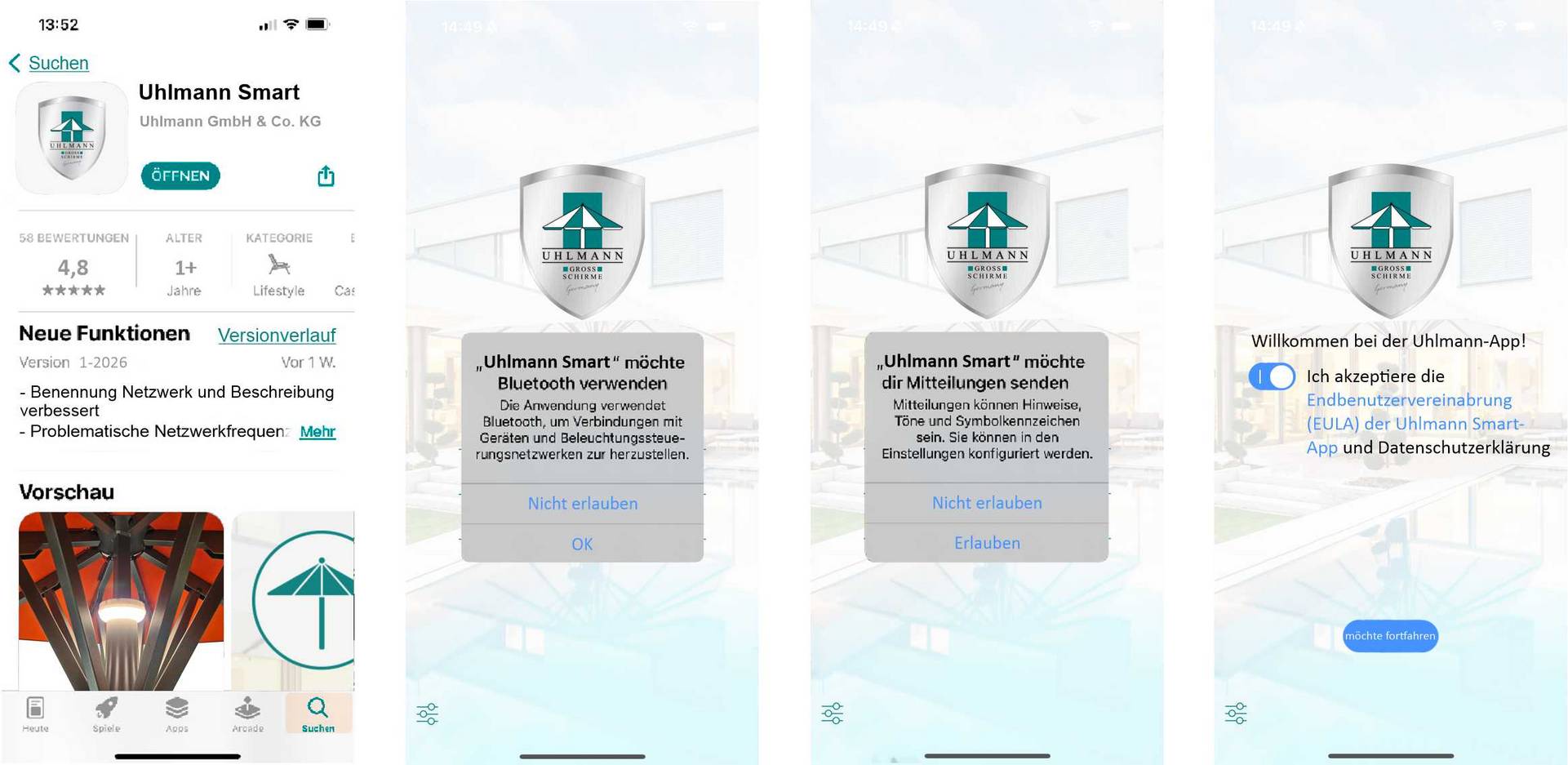
Installation process:
- Download App:
- Download the Uhlmann Smart App from the App Store.
- Download the Uhlmann Smart App from the App Store.
- Connect Umbrella:
- Ensure your umbrella is ready for operation.
- Activate Bluetooth on your device.
- Follow the instructions in the app.
- Complete Setup:
- Name your installation and configure individual settings.
- Name your installation and configure individual settings.
- Download:Uhlmann-Smart-App-Bedienungsanleitung.pdf
Features Overview
- Opening and closing motorized umbrellas
- Control of integrated LED lighting
- Creation and management of individual scenes
- Clear gallery view of multiple installations
- Intuitive user interface

Frequently Asked Questions (FAQ)
- Which functions can I use?
The app automatically detects which components (motor, LED lighting) are installed in your umbrella. Functions are enabled accordingly.
- The app cannot find my umbrella.
- Check the power supply.
- Make sure the umbrella is in close proximity.
- Restart the app.
- The connection drops.
- Reduce the distance to the umbrella.
- Check for potential sources of interference.
- Update the app to the latest version.
- Can I manage multiple umbrellas?
Yes. Multiple installations can be conveniently managed in the gallery view.
- Is the app suitable for commercial installations?
Yes. Uhlmann Smart was developed for private and professional applications.
Do you need personal assistance?
Our service team will be happy to help you.
Contact:
Phone: +49 7374 920 57-0
E-Mail: support@uhlmann.de

Please have the following information ready:
- Model of your umbrella
- Installed equipment (motor, LED, or both)
- iOS/Android version of your device